




TL;DR
- Big playlists are great for depth, terrible for deadlines. You do not need to watch every second to learn from them.
- AI can turn a whole playlist into clear notes, key ideas, and must-watch moments, as long as it has access to good transcripts.
- With IsThisClickbait, you can run fast video summaries, clickbait checks, and timestamped highlights as you move through a playlist.
- The best results come from a simple workflow: pick the right playlist, scan each video with AI, then merge and clean the final notes.
Ever opened a 40‑video playlist and felt your brain sigh? You only wanted the key ideas, yet now you’re staring at hours of footage and a fast‑approaching deadline. If you’re a student, researcher, or product manager, this is probably a weekly ritual. Maybe you searched for a YouTube playlist summarizer, hoping there was a smarter way.
This guide walks through what that tool should actually do, how AI summary tools work with playlists, and a practical workflow for turning long playlists into clear notes using IsThisClickbait. By the end, you’ll have a repeatable way to squeeze the value from big video collections without sacrificing entire evenings.
At a high level, you’re trying to compress hours of spoken explanations into a format that behaves more like a textbook chapter: searchable, skimmable, and easy to review the night before an exam or stakeholder meeting. AI summaries won’t replace careful study, but they can give you a structured starting point so your limited attention is spent on practice problems, implementation, or discussion—rather than hunting for that one explanation buried at minute 47.

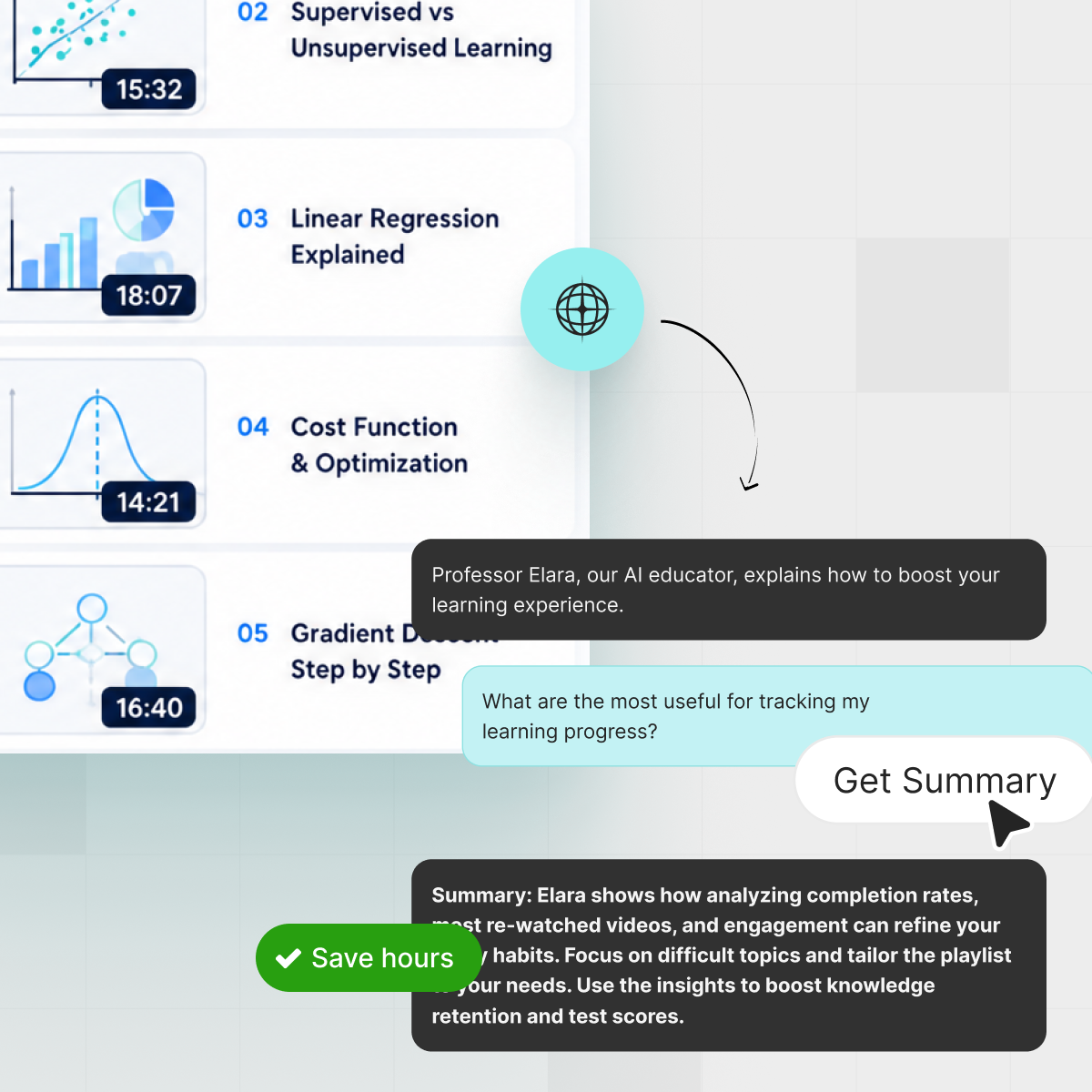
Turn long YouTube playlists into skimmable notes you can review like a textbook chapter.
What people really mean by “playlist summarizer”
When someone types “summarize a YouTube playlist,” they usually want one of three outcomes:
- Short notes for each video – Bullet points, timestamps, and main ideas per lecture or episode.
- One combined summary – A single, coherent outline that pulls together every video in the series.
- Must‑watch filter – A way to see which episodes matter and which ones can be skimmed or skipped.
Under the hood, there is no magical “playlist” switch inside YouTube. There are just individual videos grouped together. A good playlist summary tool respects that reality: it analyzes each video, then stitches together what matters.
If you’re using YouTube mostly for learning, it helps to think of a playlist as a rough “table of contents” and your summary workflow as the real textbook. YouTube handles the hosting. Your AI tool builds the notes.
Curious how playlists work on YouTube’s side? The official help docs have a handy overview of creating and managing playlists, but they stop at organization. Summaries are up to you.
When summarizing playlists saves the most time
Not every playlist deserves a full-blown AI treatment. Here are the situations where it pays off quickly.
Students and exam prep
Think of that semester‑long lecture series uploaded as 60 separate recordings. Watching everything again before exams is a nice dream, not a plan. A playlist summary gives you:
- Per‑lecture notes, you can drop into your study system.
- Timestamps for important definitions, formulas, and examples.
- A combined outline for last‑minute revision.
Pair that with course materials, and you suddenly have a solid revision pack instead of scattered videos. Many students who use tools like IsThisClickbait treat it as a “second brain” sitting next to their usual note‑taking apps.
If you already use a structured method like the Cornell note-taking system, AI summaries give you raw material to slot straight into your templates: cues, main ideas, and room for your own questions and reflections. Instead of pausing every few seconds to write things down, you can stay in “listening mode” while the tool builds a first-pass outline in the background.
Professionals and teams
Analysts, PMs, marketers, and founders live inside webinars and product breakdowns. The problem is that everyone else on the team does not. A playlist summary workflow helps you:
- Turn recurring webinar series into shareable briefs.
- Compare competitor announcements across months.
- Highlight risks, opportunities, and questions for stakeholders.

Summarized playlists make it easier to brief a whole team without everyone watching every webinar. Instead of forwarding a playlist and hoping colleagues watch it, you send a structured summary with links to the exact timestamps that matter.
Creators and educators
If you teach on YouTube or publish multi‑part series, playlist summaries are feedback gold. They show:
- Which ideas keep surfacing across episodes?
- Where your titles or thumbnails over‑promise or under‑explain.
- How a new viewer might describe your series in a sentence or two.
Creators who care about trust often run their own content through a video summarizer to check how it reads before sharing it with students or customers.
How an AI playlist summarizer actually works
Most AI tools follow a similar pipeline. Understanding it helps you choose tools and set realistic expectations.
Step 1: Get the transcript from each video
First, the tool needs the words. That usually means:
- Using YouTube’s built‑in captions if they exist.
- Falling back to automatic speech‑to‑text when they don’t.
IsThisClickbait pulls the transcript for you directly in your browser, so you don’t have to download or upload anything.
Step 2: Send the transcript to a language model
Next, large language models (LLMs) such as Claude, GPT‑4, or Gemini read the transcript and generate:
- A short summary.
- Key points and sections.
- Possible questions and answers about the content.
IsThisClickbait can even compare that content with the video’s title and thumbnail to flag clickbait and explain any mismatch.
Step 3: Stitch multiple summaries together
For playlists, the final step is combining per‑video summaries into a bigger picture. Good tools help you:
- Merge bullet points into a single outline.
- Preserve timestamps and video references.
- Spot repetition or gaps in the overall series.
The result should feel like a set of chapter notes, not 30 random blurbs. That’s the bar to aim for when you design your workflow.

An AI playlist summarizer turns raw transcripts into structured outlines you can scan at a glance.
Three ways to summarize a YouTube playlist
There are plenty of routes from “giant playlist” to “usable notes.” Here’s how the main approaches stack up.
If you are technical, you can script against the YouTube Data API to fetch transcripts and feed them into an LLM. For everyone else, an in‑browser tool that sits next to YouTube is much easier to live with day‑to‑day.
In practice, many people end up with a hybrid. You might hand‑write rough notes for the first few lectures to learn the vocabulary, then lean on an extension for the rest of the series. Or a developer on your team might maintain a light script that feeds especially dense transcripts into an LLM, while everyone else just uses the in‑browser tool. The point isn’t purity; it’s a workflow you’ll actually keep using.
That’s the gap IsThisClickbait aims to fill: structured, honest summaries of videos you already watch, with no extra dashboards to babysit.
A simple playlist workflow with IsThisClickbait
You don’t need a special “playlist” button to get playlist‑level insight. You just need a consistent routine.
1. Choose the right playlist
Start with playlists that are:
- Focused on one topic or course.
- Recorded in clear audio (AI summaries are only as good as the transcript).
- Worth revisiting — exams, certifications, onboarding, or strategic research.
2. Run summaries as you watch (or skim)
With the IsThisClickbait extension installed, open the first video in the playlist. In the side panel, you can:
- Generate a concise summary and key points.
- Check the clickbait score to see if the title matches the content.
- Mark must‑watch segments using timestamps the tool surfaces.
Repeat this across the playlist. You’re building a library of consistent, AI‑generated briefs that all follow the same structure, instead of random personal notes.
3. Export and merge your notes
Once you have summaries for each episode, pull them into your note system of choice — Notion, Obsidian, Google Docs, or a simple markdown file. Then:
- Group points by theme rather than by episode number.
- Highlight truly new ideas; gray out repetition.
- Add your own comments and open questions.
This is where a playlist stops being “50 links” and becomes a structured knowledge resource for your work or study.
If you want to try this right away, you can install the extension and start analyzing the next playlist on your list.
Tips for higher‑quality playlist summaries
AI can do a lot of heavy lifting, but your choices still matter. A few small habits dramatically raise the quality of your playlist notes.
Use focused prompts, not vague ones
Instead of “summarize this playlist,” try prompts like:
- “List the 10 biggest takeaways a product manager should bring to their team.”
- “Extract all formulas and definitions, with timestamps.”
- “Write a one‑page brief for an executive who will never watch the videos.”
IsThisClickbait already suggests focused summary styles, and you can refine them in the chat for each video.
These kinds of prompts line up well with evidence-based study strategies like retrieval practice and elaboration, which focus on what you can do with the ideas rather than how many minutes you watched. When you treat the playlist as input for questions, checklists, or practice, your summaries become a tool for learning, not just a shorter transcript.
Filter weak videos out of your workflow
Some playlist items just aren’t worth processing. If the clickbait score is high and the content is light, feel free to:
- Mark the video as “low value” and skip it.
- Keep only one or two key points in your notes.
- Rely on better videos in the same playlist or from other channels.
Think of AI summaries as a spotlight. You still choose where to shine it.
Iterate on your combined outline
The first merged playlist summary is rarely the final form. Treat it like a draft:
- Ask the AI to turn the merged notes into flashcards or checklists.
- Rewrite sections in your own words to strengthen retention.
- Share the outline with a classmate or teammate and ask what’s missing.
Over time, you’ll build a personal style of playlist notes that suits how you think and work.
FAQ: Common questions about playlist summaries
Does this work with private or unlisted playlists?
AI tools that run in your browser, like IsThisClickbait, work with any video you can personally watch in that browser, as long as they can access the transcript. That includes many private or unlisted videos you have permission to view.
Is summarizing YouTube playlists allowed?
In general, taking notes for personal study or internal team use is a normal part of how people use online content. The key is to respect creators’ rights: don’t resell their content as your own course, and always credit original channels when you share insights more widely.
How is this different from speeding videos up to 2x?
Playback speed cuts time, but your brain still has to process every sentence. Playlist summaries flip that: the AI does the heavy listening, and you jump straight to the clips, sections, and ideas that look worth deeper attention.
Can I use this for languages other than English?
Yes, as long as reliable transcripts exist for that language. Quality may vary with accent, recording setup, and how clean the captions are. It’s always wise to spot-check a few summaries for accuracy before leaning on them for serious decisions.
Try it on your next playlist
That playlist sitting in your “Watch later” queue does not have to haunt your weekend. With the right workflow, you can turn it into:
- A one‑page executive brief.
- A clean set of lecture notes.
- A checklist of product ideas or experiments.




