

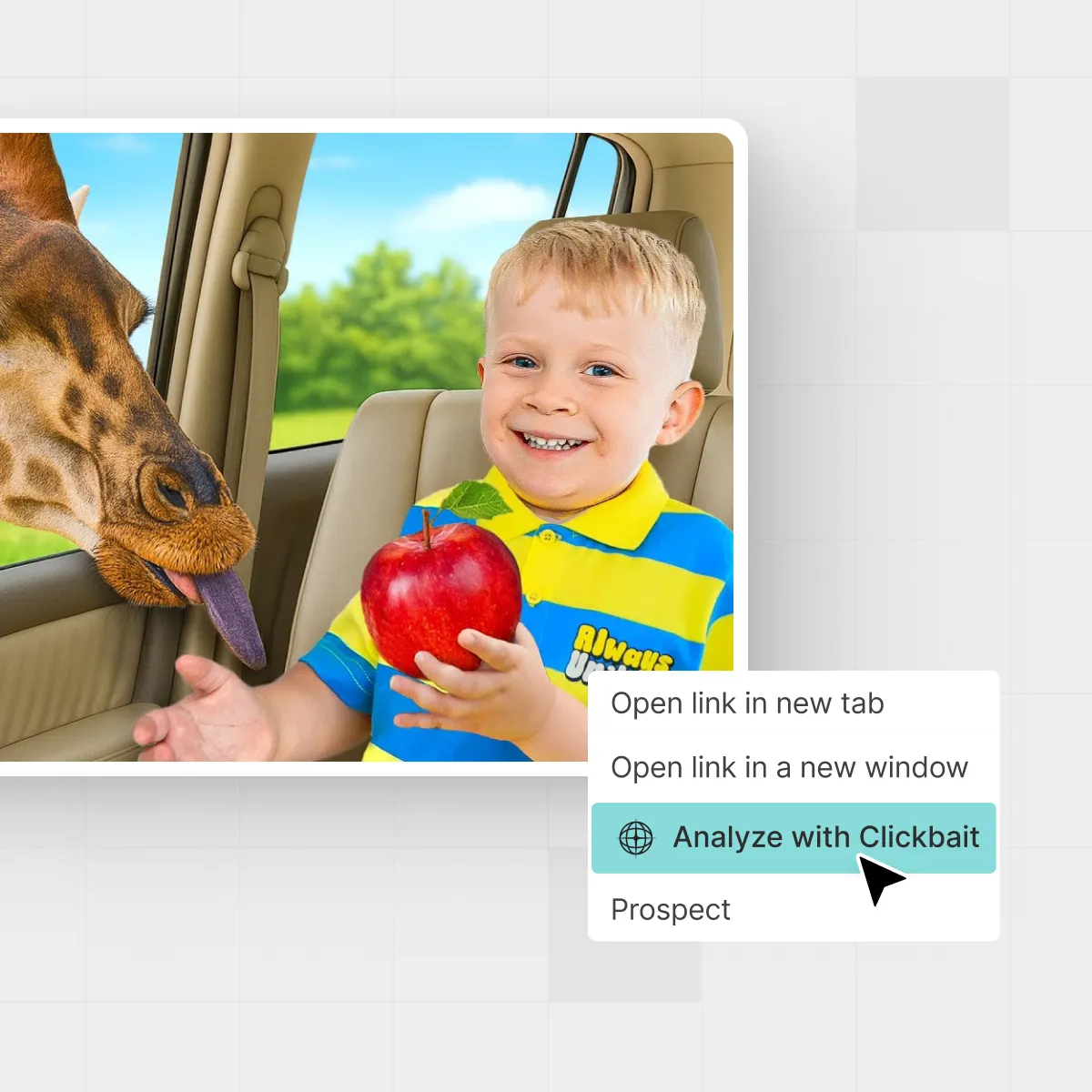



If you hang out on YouTube long enough, you start to develop a sixth sense for videos that feel a little… off. The face is screaming, the thumbnail is glowing red, and the title promises the “craziest thing you’ll ever see.” But where’s the line between a strong hook and flat‑out lying? In this guide, we’ll unpack what is clickbait in YouTube, how it actually works, and how you can use hooks without burning your audience’s trust.
A creator browsing a wall of video thumbnails, deciding what’s real value versus clickbait.
TL;DR: What counts as clickbait on YouTube?
Short version: Clickbait is any title or thumbnail that intentionally tricks viewers into clicking by promising something the video doesn’t deliver.
- Okay: Strong curiosity hooks, emotional faces, bold language — as long as the video truly delivers on the promise.
- Not okay: Fake giveaways, made‑up drama, invented “leaks,” or thumbnails that show things that never appear in the video. See, for instance, Wikipedia’s overview of clickbait tactics.
- YouTube policy: Misleading titles, descriptions, tags, or thumbnails fall under misleading metadata and spam / deceptive practices in YouTube’s own Spam, deceptive practices, & scams policies.
So the question to ask yourself isn’t just “Will they click?” but “Will they feel tricked after they click?”
Why clickbait works (and when it blows up on you)
YouTube is a giant attention auction. Your title and thumbnail are your little billboard on a highway of other videos. Anything that creates curiosity, emotion, or tension tends to win that auction.

On the recommendations page, bold thumbnails compete side by side for a viewer’s next click.
That’s why sensational or misleading thumbnails have historically driven high click‑through rates (CTR). Analyses of clickbait content show that flashy, misleading titles and thumbnails reliably attract more clicks, even when the underlying content is weak.
Wikipedia’s article on clickbait describes how these tactics boost CTR by exploiting the “curiosity gap.” But YouTube doesn’t just reward clicks anymore. The recommendation system looks heavily at watch time, audience retention, and “Did viewers feel satisfied?” signals.
“Clickbait gets you a click. Trust gets you a channel.”
If you hype the video beyond what’s really there, people bounce in the first 10–30 seconds, leave negative feedback, and stop clicking future uploads from you. Over time, the algorithm learns, “Viewers don’t like this,” and your impressions shrink.
Tools like IsThisClickbait for viewers exist exactly because viewers are tired of being tricked and want to know what’s actually in a video before they spend 20–60 minutes on it.
Common types of YouTube clickbait (with examples)
Not all clickbait looks the same. Here are the most common patterns that get viewers, and sometimes channels - into trouble.
1. Misleading or false titles
Classic examples:
- “I WON A FREE TESLA!!!” — There was never a giveaway.
- “YouTube is shutting down…” — The video is actually about a small policy tweak.
- “Exposing [Creator] for fraud” — The video contains no actual evidence.
These cross the line because the central claim simply isn’t true. YouTube explicitly treats misleading titles as a spam / deceptive practices issue under its Spam, deceptive practices, & scams policies.
2. Over‑the‑top thumbnails that never happen
Thumbnails are naturally exaggerated. Big reactions and bold colors are fine. The problem starts when you show events or people that never appear:
- Photoshopped disasters that don’t occur in the video.
- A celebrity’s face on the thumbnail when they’re not in the content.
- Medical “before/after” images that are purely stock.
YouTube has tightened enforcement on misleading thumbnails and can remove videos or penalize channels for repeat abuse. In December 2024, for example, YouTube announced a crackdown in India on “egregious clickbait” in titles and thumbnails for breaking‑news and current‑events videos, saying it would remove videos where the title or thumbnail promised something the content didn’t deliver, even before issuing strikes. TechCrunch’s coverage of this India enforcement highlights how seriously the platform now treats misleading thumbnails and titles.
3. Fake urgency and scarcity
Titles like “WATCH BEFORE IT’S DELETED” or “This stock will 10x tomorrow” can quickly slide into deceptive territory, especially around finance, health, and news.
If there’s no real time limit, legal risk, or scarcity, you’re not “hyping”; you’re manufacturing panic.
4. Bait‑and‑switch content
Sometimes the title and thumbnail are technically true, but the video spends 95% of its time on something else. Example:
- Promising a full tutorial but delivering a 2‑minute pitch for your course.
- Teasing “we broke up” when it’s really a prank with no real relationship discussion.
Viewers feel cheated because the focus of the video doesn’t match what they were promised.
For a deeper breakdown of how this mismatch is detected at scale, research on YouTube clickbait compares titles, thumbnails, and transcripts to see if the promise and the content line up. One study introduced an ensemble model that analyzed both video content and the title/thumbnail relationship and reported over 90% accuracy on YouTube clickbait datasets.
Is clickbait allowed on YouTube?
YouTube doesn’t ban attention‑grabbing titles. It does take action against misleading ones under its Spam, deceptive practices, & scams guidelines, especially misleading metadata (titles, descriptions, tags) and thumbnails. The policy specifically forbids using the title, thumbnail, or description “to trick users into believing the content is something it is not.” You can read this in YouTube’s own Spam, deceptive practices, & scams policies.
In practice, that means you risk:
- Video removal for misleading metadata or thumbnails.
- Strikes or reduced recommendations for repeated deceptive behavior.
- Long‑term damage to channel reputation and trust with subscribers.
In December 2024, YouTube also announced that it would step up enforcement against clickbait titles and thumbnails that misrepresent breaking‑news or current‑events videos in India, starting by removing such videos without strikes and then expanding enforcement. TechCrunch’s report on this change shows that YouTube is increasingly willing to act on egregious clickbait even before issuing formal strikes.
If you’re unsure, compare your video to YouTube’s own explanations and examples of misleading metadata and thumbnails in their Help Center and policy docs, and sanity‑check with tools such as IsThisClickbait for creators before publishing.
Ethical clickbait: hooks that don’t lie
So how do you stand out on the homepage without risking strikes or angry comments? Think in terms of honest curiosity, not manufactured drama.
Planning titles and thumbnails that hook viewers while still matching the story they’ll actually see.
1. Match your promise, thumbnail, and content
A simple rule of thumb: if someone paused your video at the 2‑minute mark and re‑read the title + thumbnail, would they say, “Yep, that’s what I clicked for”?
- Put the main promise in the first 30–60 seconds of the video.
- Show key thumbnail elements (the product, the guest, the result) on screen.
- Use chapter markers to prove you actually cover what you promised.
When you run a video through IsThisClickbait, the analyzer checks your title, thumbnail, and transcript together and flags where they’re out of sync — effectively catching bait‑and‑switch patterns before your viewers do.
2. Use curiosity, not deception
Curiosity‑driven titles don’t have to lie. They just:
- Highlight a surprising angle: “I tried working without notifications for 30 days”.
- Promise a clear benefit: “The 3‑step script that fixed my audience retention”.
- Leave an honest information gap: “This tiny change added 2 hours back to my day”.
None of these fabricates drama. They make you wonder what happened - then actually show you.
3. Set expectations in the intro
Use your first 15–20 seconds to restate the promise in plain language and outline what’s coming. For example:
“In this video, I’ll walk through three thumbnails that boosted my CTR from 3% to 7%, with before/after examples.”
That one line instantly reassures viewers that they didn’t fall for empty hype. If your actual results or examples are more modest than the thumbnail vibe, own that honestly.
4. Example: turn a deceptive hook into an honest one
Imagine you filmed a video about nearly quitting your job, but ultimately staying after renegotiating your hours. A deceptive vs. honest pair might look like:
- Deceptive: “I QUIT MY JOB ON CAMERA (emotional)” with a thumbnail of you storming out of the office, even though you never actually quit.
- Honest but strong: “I Told My Boss I Was Done (here’s what happened)” with a thumbnail of you in a tense meeting.
The second option is still dramatic, but it doesn’t lie about the outcome. That’s the line you’re aiming for: maximize tension, not fiction.
If you want a deeper guide on honest hooks, keep an eye on the IsThisClickbait blog for upcoming posts on YouTube title formulas and thumbnail frameworks.
How clickbait affects your channel metrics
A lot of creators ask, “Does clickbait help or hurt the algorithm?” The answer is: short‑term help, long‑term hurt.
CTR vs. retention
Misleading thumbnails and titles can spike your CTR at first, because more people click out of curiosity. But if they leave quickly, your average view duration (AVD) and retention graphs tank. Research on clickbait headlines and thumbnails consistently finds that while they raise click‑through rates, they don’t necessarily improve satisfaction or long‑term engagement, and often undermine trust instead. Clickbait research summaries describe this “high‑CTR, low‑satisfaction” pattern across platforms.

Channel analytics make it clear when high-CTR clickbait is quietly hurting retention and satisfaction.
Viewer satisfaction and surveys
YouTube also samples viewers with satisfaction surveys and measures how often they come back to your channel after watching. Consistent disappointment from clickbait erodes these signals, which are hard to repair.
In other words: you might gain one view today, but lose a subscriber (and a lot of future watch time) tomorrow. That’s why creators who rely on bait‑and‑switch often see a sharp spike at upload, followed by flat or declining performance as fewer viewers choose their videos in the future.
Deception, trust, and future impressions
YouTube’s recommendation system is designed to show viewers videos they are likely to enjoy and finish, not just click. When viewers feel tricked, they tend to:
- Abandon the video in the first 10–30 seconds.
- Skip your future uploads when they appear in their feed.
- Sometimes actively give negative feedback (dislikes, “not interested,” or reports).
Over time, this teaches the system that your thumbnails and titles over‑promise. Fewer people see future videos, even if you eventually fix your strategy. Ethical hooks, by contrast, usually produce steadier retention curves and a higher share of viewers who watch multiple videos in a row.
Run your own A/B mini‑experiment
If you want proof on your own channel, try a simple A/B test:
- Pick one strong video idea and create two titles/thumbnails: one slightly over‑hyped, one bold but honest.
- Use YouTube’s built‑in experiments (or small re‑uploads to test on different segments of your audience) to compare performance.
- After 48–72 hours, compare CTR, average view duration, retention at 30 seconds and 50%, and how many viewers watched another video afterward.
In most niches, you’ll see that the “spicy but honest” version wins on the metrics that matter long‑term: deeper watch time, better satisfaction, and more future impressions from YouTube’s recommendations.
Checklist: Is your video actually clickbait? (PROMISE Test)
Before you hit publish, run your video through the PROMISE Test: Promise, Reality, Outcome, Match, Integrity, Satisfaction, Evidence.
- Promise check (P): Can you underline one clear promise in your title and thumbnail?
- Reality check (R & O): Does the actual video content and outcome match that promise?
- Match check (M): Do your first 50–60 seconds clearly connect to the title and thumbnail?
- Integrity check (I): Are you exaggerating in a way that would make viewers feel lied to once they know the full story?
- Satisfaction check (S): If you were the viewer, would you feel “That was worth it” or “I got tricked” at the end?
- Evidence check (E): Do you show proof (screens, data, results) that matches your claims?
If you’re unsure, you can run the URL through IsThisClickbait. The tool:
- Pulls your transcript and compares it to your title and thumbnail.
- Generates a clickbait score with reasons.
- Summarizes the video so you can see what you actually talked about vs. what you thought you talked about.
Many creators use this not just to avoid trouble, but to tighten their titles so they’re bold, honest, and aligned with the real value inside the video.
FAQs about YouTube clickbait
Does YouTube punish clickbait?
YouTube punishes misleading clickbait that breaks its spam / deceptive practices policies, especially around misleading metadata and thumbnails. The platform’s Spam, deceptive practices, & scams policies explicitly forbid using titles, descriptions, or thumbnails to trick viewers about what’s in the video. Honest but punchy hooks are fine and often recommended in YouTube’s own creator education material.
Can clickbait titles get my video removed?
Yes, if your title or thumbnail promises content that simply isn’t there — for example, fake giveaways, invented news, or pretending to host full movies you don’t have rights to — you can get a removal or even a strike under YouTube’s rules on misleading metadata and thumbnails in the Spam, deceptive practices, & scams policies. YouTube’s recent crackdown in India on egregious clickbait titles and thumbnails for breaking‑news videos shows that it’s willing to remove deceptive content even before escalating to full strikes.
Is every dramatic thumbnail “clickbait”?
No. Big reactions, bold fonts, and colorful backgrounds are just packaging. They become clickbait when the feeling they create has nothing to do with what’s in the video.
How do I learn good titles without crossing the line?
Study channels that consistently deliver what they promise, look at their retention graphs, and practice writing 5–10 title options for each upload. Combine that with tools like IsThisClickbait for creators to sanity‑check whether your current hook matches your actual content.
Can viewers protect themselves from clickbait?
Yes. Browser extensions and web apps like IsThisClickbait for viewers let viewers see summaries, clickbait scores, and key timestamps before watching, so they can skip low‑value or deceptive videos and spend time on content that’s actually useful.
Final thoughts: respect the viewer, grow faster
The channels that last aren’t the ones with the loudest thumbnails; they’re the ones viewers trust with their time. Use strong hooks, yes. Push curiosity, yes. But let your video earn every bit of that excitement.
And if you ever wonder, “Is this too clickbait?” — run the link through IsThisClickbait, check the score, and adjust the promise until it matches what’s really inside your video.




