

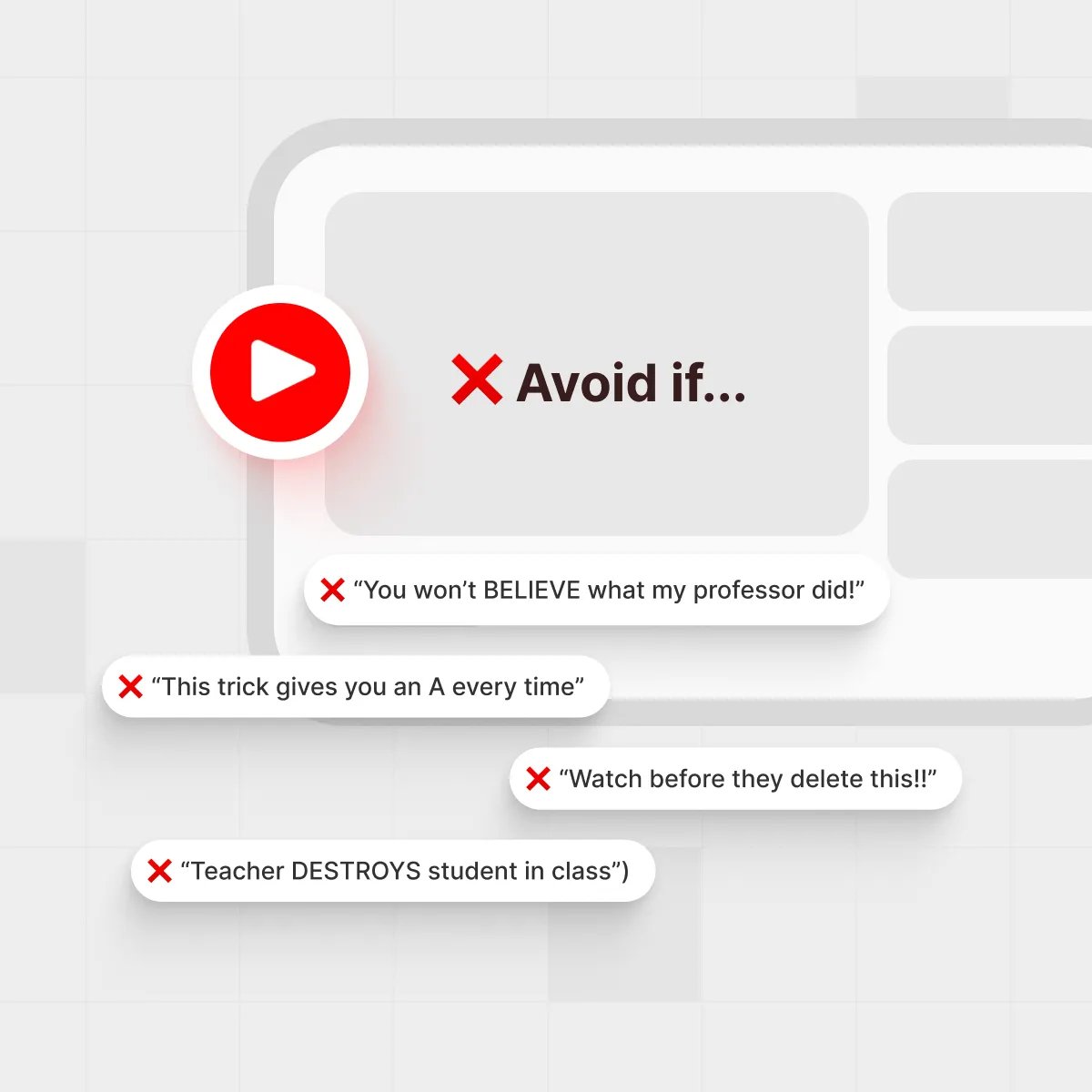




A typical study session where a student is surrounded by video choices, some of which may be clickbait.
Why YouTube clickbait hurts students
You sit down to watch one short video on “5-minute exam hacks” and suddenly it’s midnight, your notes are still blank, and you’ve watched three story-time rants that barely mention your subject. That’s clickbait doing its thing — and exactly why learning how to avoid clickbait when you study on YouTube really matters.
For students who lean on YouTube for lectures, walkthroughs, and crash courses, misleading titles and thumbnails don’t just waste time; they quietly sabotage focus and confidence. Surveys from Pew Research Center show that about 93% of U.S. teens use YouTube, and roughly seven in ten say they visit it daily, so a bad recommendation can easily swallow an entire evening.
In one survey of hundreds of business students, a Pearson teaching-and-learning blog reports that 71% said they used YouTube as part of their academic learning, which means clickbait doesn’t just steal downtime — it directly interferes with the tools you rely on for school. When a “guaranteed A+ trick” doesn’t work, it’s easy to blame yourself instead of the video that oversold the result.
This guide walks through ten patterns that show up again and again in YouTube clickbait, plus a simple checklist you can run in seconds. You’ll still enjoy YouTube, but with a radar that spots trouble before it eats your evening.
TL;DR: the 10 patterns at a glance

A simple checklist beside a page of video options helps students quickly screen out clickbait.
If you see a title or thumbnail using several of these tricks at once, be cautious:
- Emotional shock and outrage (“You won’t BELIEVE what my professor did!”)
- Guaranteed results (“This trick gives you an A every time”)
- Fake urgency and FOMO (“Watch before they delete this!!”)
- Misleading thumbnails (faces, arrows, or screenshots that never appear)
- Bait-and-switch topics (title says exam tips, video is mostly a vlog)
- Endless drama and conflict (“Teacher DESTROYS student in class”)
- Overpowered numbers and superlatives (“Top 1% secret no one tells you”)
- Mystery endings and missing info (“I did this one weird thing…” with no details)
- Low-effort recycled content (same advice, same footage, new title)
- “Edu-tainment” that hides the actual teaching (30 minutes of jokes, 2 minutes of content)
Spot two or three of these? Consider skipping or at least previewing the video with a tool like IsThisClickbait before you commit.
The 10 clickbait patterns every student should recognize
Not every punchy title is a problem. Plenty of study creators use strong hooks and still deliver great explanations. The red flag is mismatch: when the title and thumbnail promise one thing and the video quietly delivers something else.
Media-literacy guides define clickbait as online content designed mainly to attract attention and encourage a click, often using sensational headlines for content of limited or misleading value. For example, the student-facing “Fake News” guide from New American History describes clickbait as internet content built to draw clicks, often to mislead or sell a product, and college media-literacy glossaries such as Florida Atlantic University’s emphasize the same pattern. That’s the lens we’ll use as we look at YouTube titles and thumbnails.
1. Emotional shock and outrage
These videos poke at your feelings first and your brain second. They use words like “insane,” “exposed,” or “you’ve been lied to” to crank up anger or curiosity. The thumbnail usually adds big red arrows, exaggerated faces, or all-caps phrases.
For study content, this often becomes “School is a SCAM” or “Textbooks are a LIE.” If you’re trying to pass chemistry next week, that energy rarely turns into practical, step-by-step help. Check the description: if it’s vague or ranty, treat it as entertainment, not a source for your revision plan.
2. Guaranteed results
Any time a video promises “this will work for everyone”, your scam radar should ping. “This trick gives you an A in every exam” sounds amazing, but real study methods depend on your subject, schedule, and starting point.
Ask: Does the title sound like a lottery ticket or a habit? “Daily routine that helped me go from C to A” is honest. “Secret the top 1% don’t want you to know” is pure fantasy. Tools like AI summarizers for students can help you see quickly whether the advice is specific or just a motivational speech.
3. Fake urgency and FOMO
“Watch this before they delete it,” “Last chance,” “Your teacher won’t tell you this” - yet somehow the video has been online for three years, and the creator posts daily. This pattern leans on your fear of missing out instead of giving you reasons to watch.
A better sign is when urgency is real and clear: “What to focus on in the last 48 hours before your physics exam.” Before clicking, glance at the upload date and comments. If people have been watching for months and nothing is “gone,” the urgency was just decoration.
4. Misleading thumbnails
Thumbnails are mini billboards. In clickbait, they’re often louder than the video itself: crying faces, money piles, a screenshot of a grade that never appears, or a celebrity who’s barely mentioned.
For learning, focus on channels whose thumbnails and titles actually match: if it says “Organic chemistry mechanisms practice,” you should see molecules, not just vibes. The YouTube misleading metadata policy even calls this out, so repeat offenders may not be worth your time.
5. Bait-and-switch topics
This one feels the worst: the title is about exam strategies, but the video spends 20 minutes on the creator’s morning routine and only two minutes on actual tips.
To protect your study blocks, check the timestamps (if they exist). Serious education channels often break videos into chapters. If you see “sponsor,” “life update,” and “room tour” chapters before anything exam-related, you know what the creator valued most. Extensions like IsThisClickbait help by pulling a timestamped summary so you can see where the real teaching starts.
6. Endless drama and conflict
Titles with “DESTROYS,” “EXPOSED,” or “CALLING OUT” are built for drama, not for your midterm grade. They can be fun background noise, but they rarely give you tools you can use next week.
When you’re in study mode, ask, “Will this change how I take notes, review, or practice?” If not, save the drama for after your exam. Your future self will thank you.
7. Overpowered numbers and superlatives
“Top 1% secret,” “fastest way,” “ultimate guide” — these phrases act like glitter: they catch your eye but don’t tell you anything concrete.
Look for numbers that describe the content, not your worth: “3 active recall exercises for biology,” “4 worked examples for integration by parts.” Those are videos you can plug straight into your revision plan, especially if you already use methods like active recall blueprint.
8. Mystery endings and missing info
Some titles tease a secret without ever stating what’s inside: “I did this one weird thing and my grades skyrocketed.” If the thumbnail and description are also vague, you’re being nudged to click purely out of curiosity.
That’s fine for story-time content. For learning, you want clarity up front: what topic is covered, what level it’s aimed at, and what you’ll be able to do afterward. “How I used spaced repetition to memorize anatomy terms” tells you exactly that.
9. Low-effort recycled content
You’ll notice some channels repost the same advice with new titles each week: “5 tips that changed my GPA,” “I fixed my grades with this simple trick,” “This method saved my semester” - different packaging, same five bullet points.
If you open the channel page and every thumbnail looks like a clone, your odds of hearing something new are low. In that case, it may be faster to search for your specific topic, like “A-level chemistry redox practice,” or use a tool that surfaces key points across several videos so you don’t rewatch the same generic tips.
10. “Edu-tainment” that hides the teaching
Many creators mix humor and learning, which can be great. The problem is when the ratio tilts so far toward jokes, story-times, and B-roll that you leave with almost no notes.
Before you sink 30 minutes, skim the transcript or summary if you can. If the “teaching” section fits into a single short paragraph, you’re not getting a full lesson; you’re watching a vlog with a study label slapped on top. That’s where using an AI lecture summarizer can save a chunk of your evening.
“Good study videos reduce your stress and increase your understanding. Clickbait study videos do the exact opposite.”
The S.T.O.P. test: Quick checklist before you click

The S.T.O.P. test is about pausing for a moment before you click on a tempting video.
To keep things simple during revision season, use this four-step S.T.O.P. test whenever a title feels a bit too shiny:
- S — Scan the title and thumbnail for extremes (guarantees, drama words, vague “secrets”).
- T — Track the length vs the promise. Can this claim realistically be covered in that time?
- O — Observe the channel: past videos, comments, and whether people say it actually helped.
- P — Preview the content with a transcript, summary, or tool like IsThisClickbait before you commit.
That last step is where technology shines. With the IsThisClickbait extension and web app, you can pull the transcript, see a clickbait score, and read a concise summary beside the YouTube player, instead of guessing from a dramatic thumbnail.
How IsThisClickbait keeps your study time safe

Using tools to preview and analyze videos can protect your limited study time from clickbait.
IsThisClickbait was built for people who learn from video every day: students, self-learners, and professionals who don’t have hours to waste. It checks whether a YouTube title, thumbnail, and transcript actually line up, then explains why a video looks helpful or suspicious.
For students, that means you can:
- See a clickbait score with reasons, instead of guessing from the thumbnail.
- Scan key points and timestamps to decide if a lecture or exam review is worth watching.
- Turn long videos into searchable notes you can revisit before tests.
- Share the best clips with classmates instead of sending a 90-minute link.
If you’re already using tools like spaced repetition or active recall, pairing them with smarter video selection can make a big difference. You can start in a couple of clicks from the IsThisClickbait plans page and run your first analysis directly alongside YouTube.
FAQ: common questions about YouTube clickbait
How can students stop falling for YouTube clickbait?
First, learn the patterns: overpromises, fake urgency, dramatic thumbnails, and vague “secrets.” Then, slow your finger down for five seconds before you click. Check the channel, skim the description, glance at comments, and when possible, preview the video’s transcript or an AI-generated summary using a tool like IsThisClickbait.
Is all clickbait on YouTube bad?
No. Some creators use strong hooks but still match the promise with real teaching. What hurts you is the gap between what’s promised and what’s delivered. If the video gives you clear explanations, worked examples, and honest expectations, the title being a bit dramatic isn’t the end of the world.
What if I already wasted time on clickbait study videos?
That just means your pattern-recognition system is still under construction. Take one of the videos that let you down, and run through the patterns in this article. What did the title or thumbnail do that tricked you? Once you name the move, your brain is less likely to fall for it again.
For more help building better online study habits, check out our guide to stop wasting time on YouTube and our walkthrough on YouTube transcripts without pausing every five seconds.
Key takeaways
- Clickbait targets your emotions and curiosity, not your syllabus.
- Titles that guarantee results, use fake urgency, or show misleading thumbnails are major red flags.
- The S.T.O.P. test (Scan, Track, Observe, Preview) helps you make smarter choices in seconds.
- Tools like IsThisClickbait give you X-ray vision into a video before you spend your study time on it.
You don’t have to quit YouTube to study well. You just need a sharper filter and a habit of asking, “Will this video actually help me learn what I came for?”
When you’re ready to put that filter on autopilot, you can start analyzing with IsThisClickbait.




